
Check plagiarism, detect AI & humanize your writing
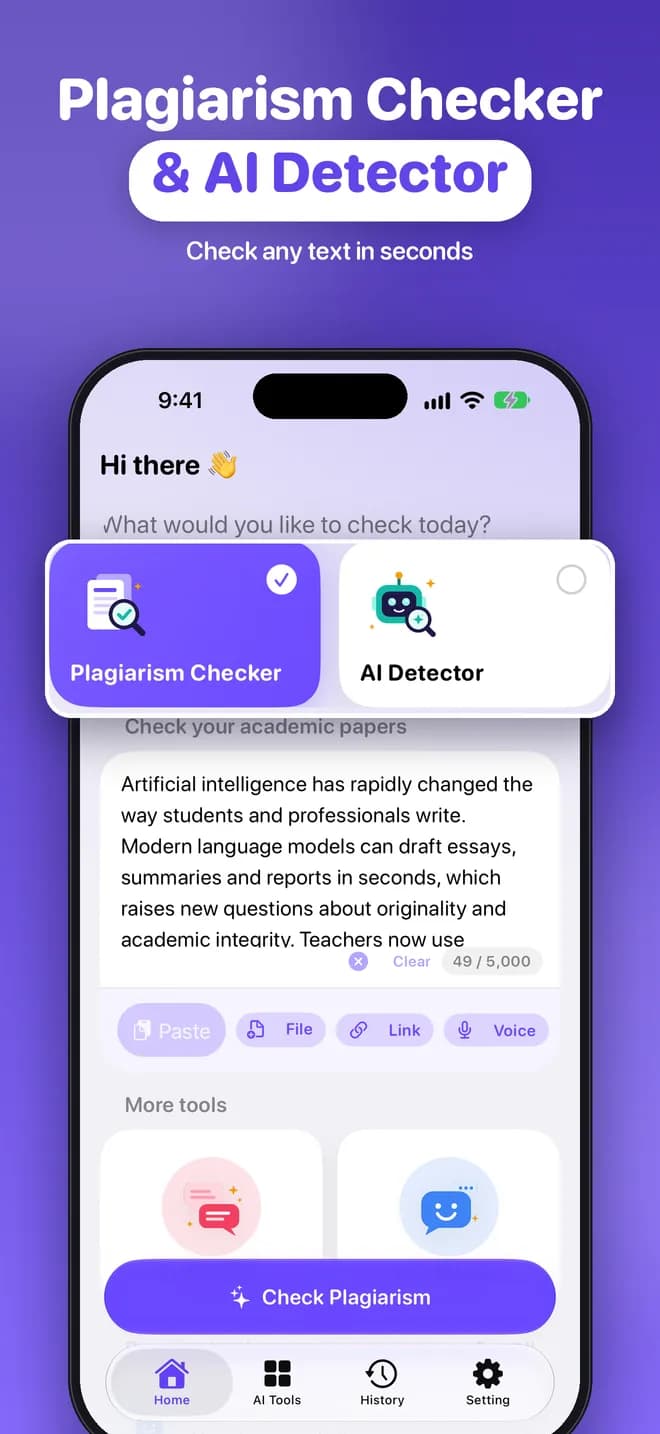
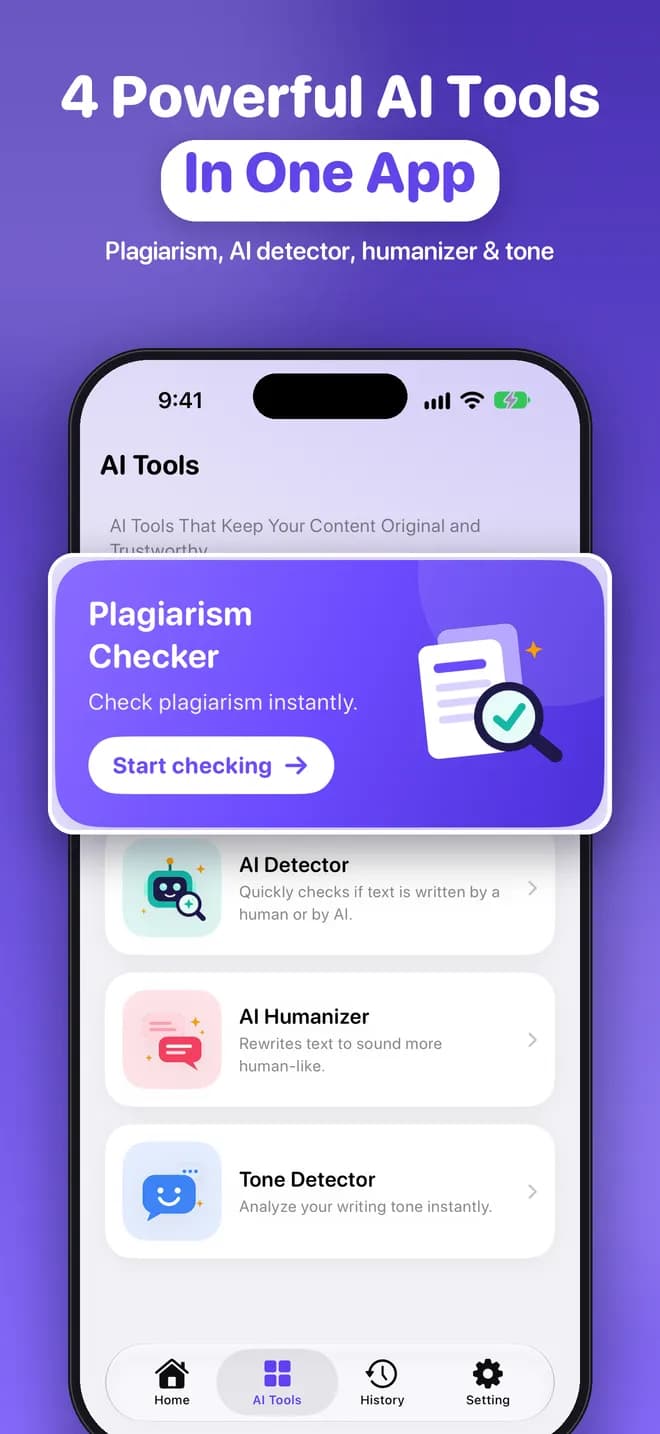
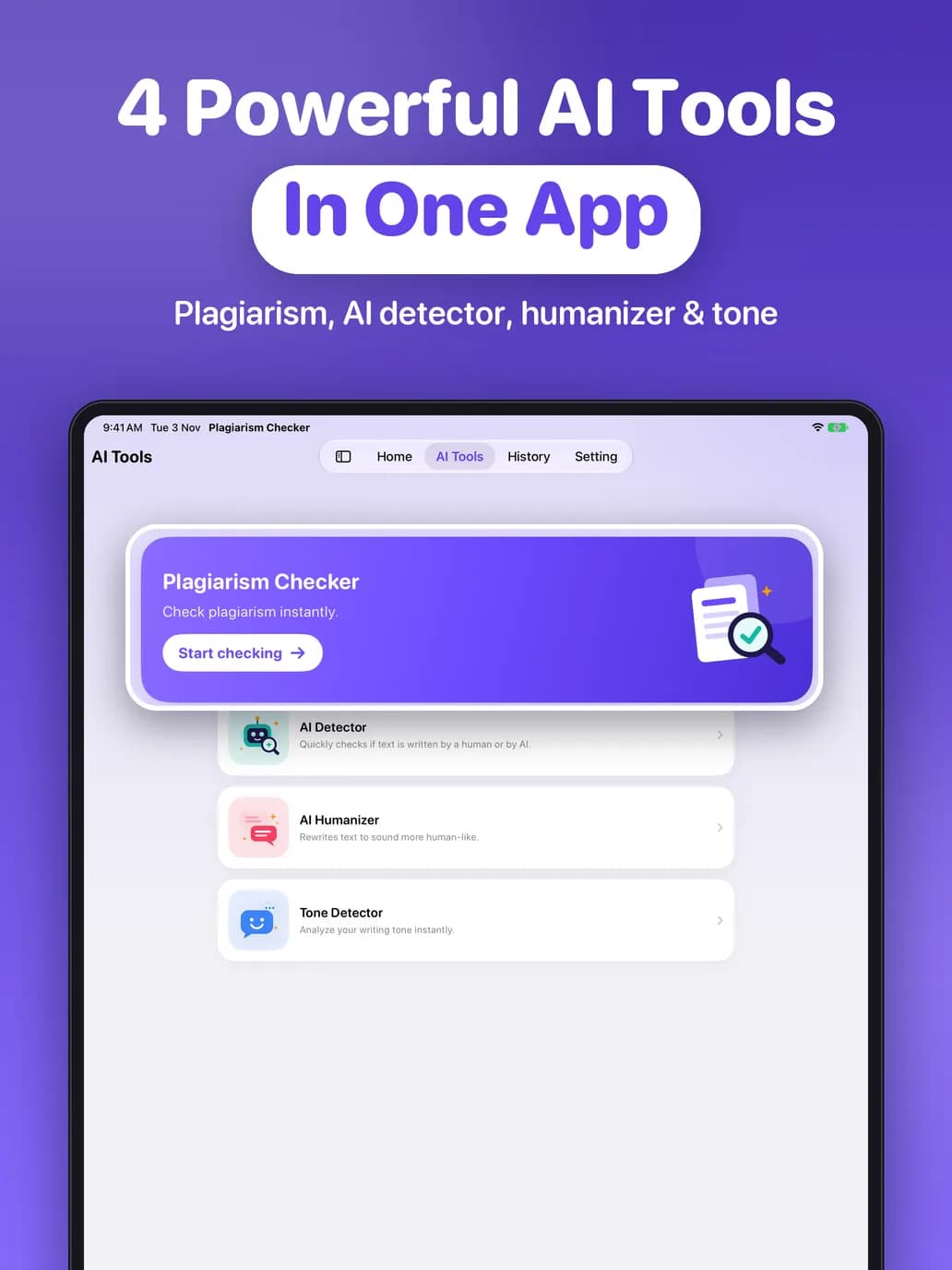
Plagiarism Check & AI Humanize brings four writing tools into one simple app: a plagiarism checker with source links, an AI detector, an AI humanizer and a tone detector.
- Free to try
- No sign-up
- No ads
- iPhone, iPad & Mac
4 tools in one app
Everything you need to check your writing
From catching copied passages to polishing your tone, every tool gives you clear, easy-to-read results.




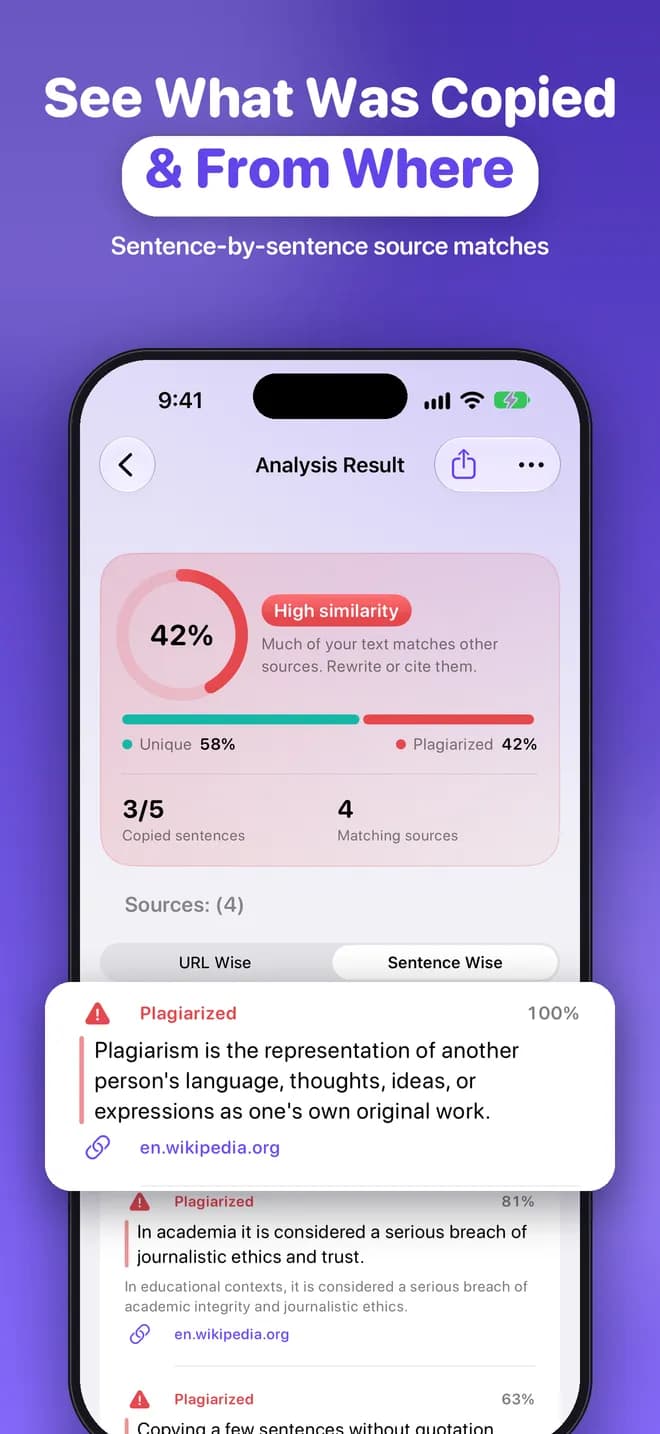
See what was copied, and from where
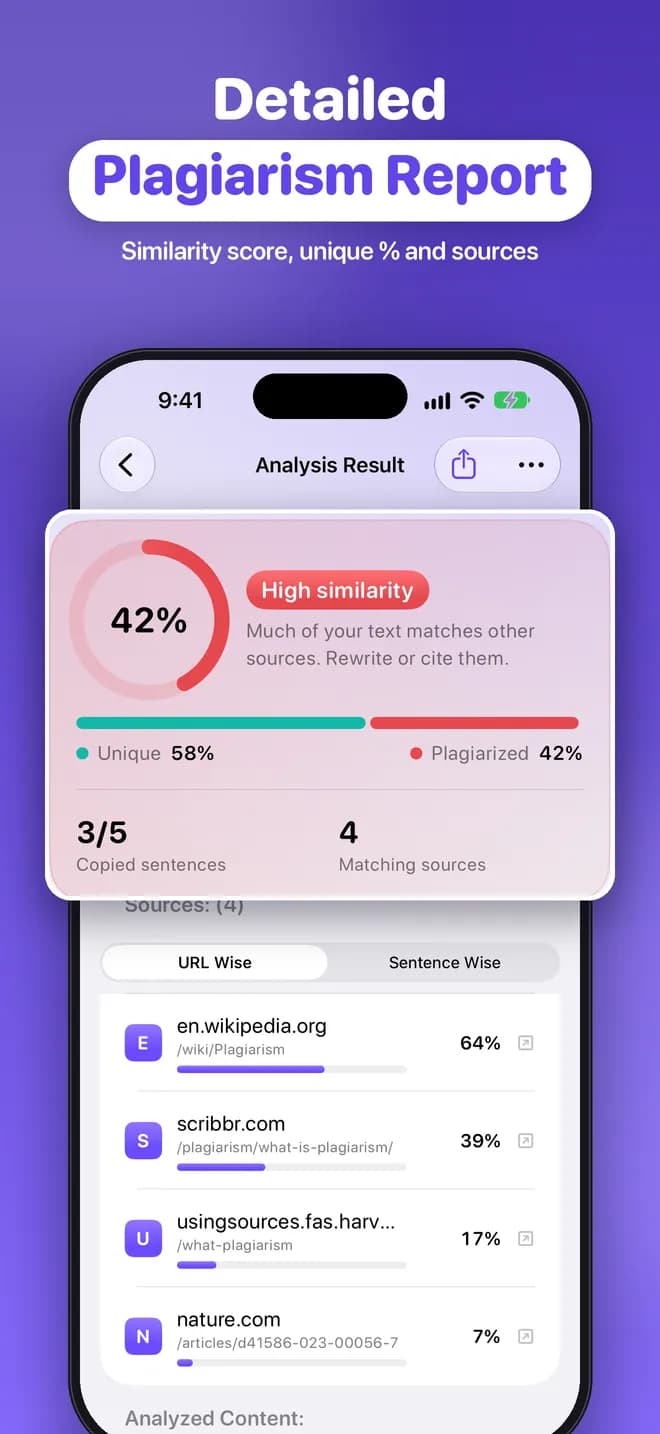
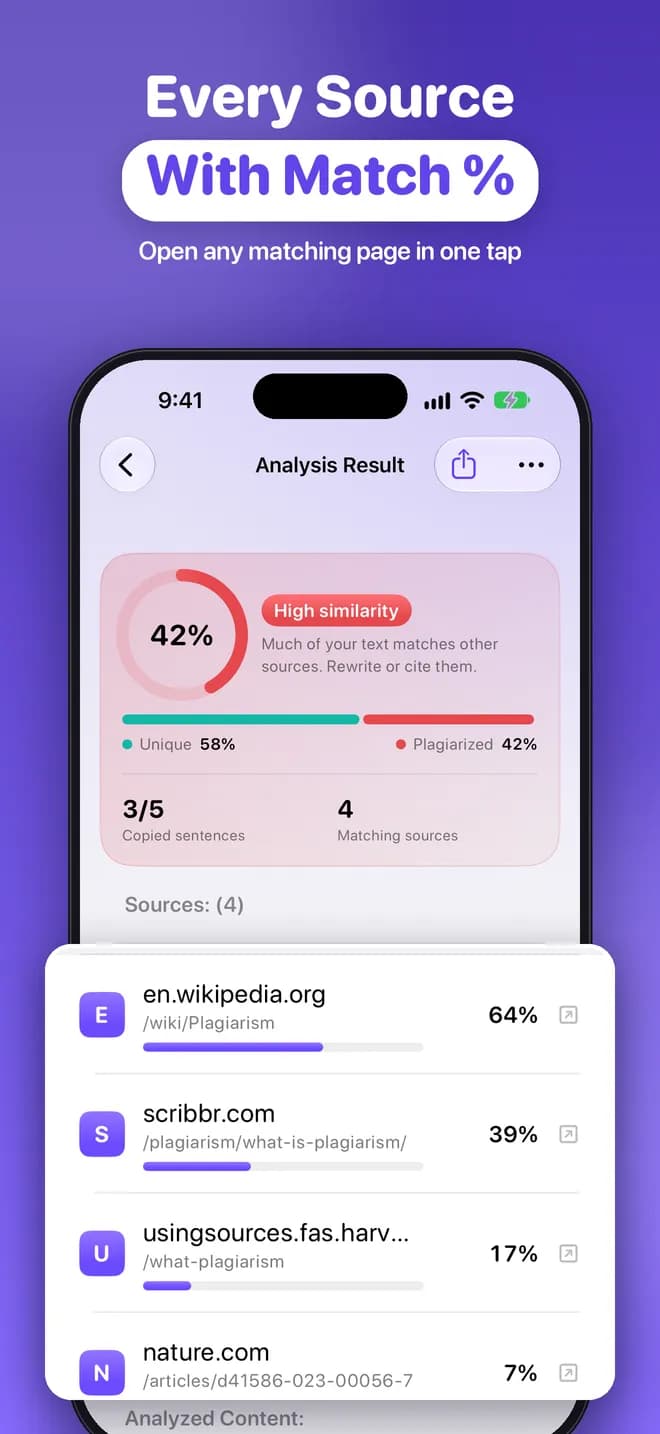
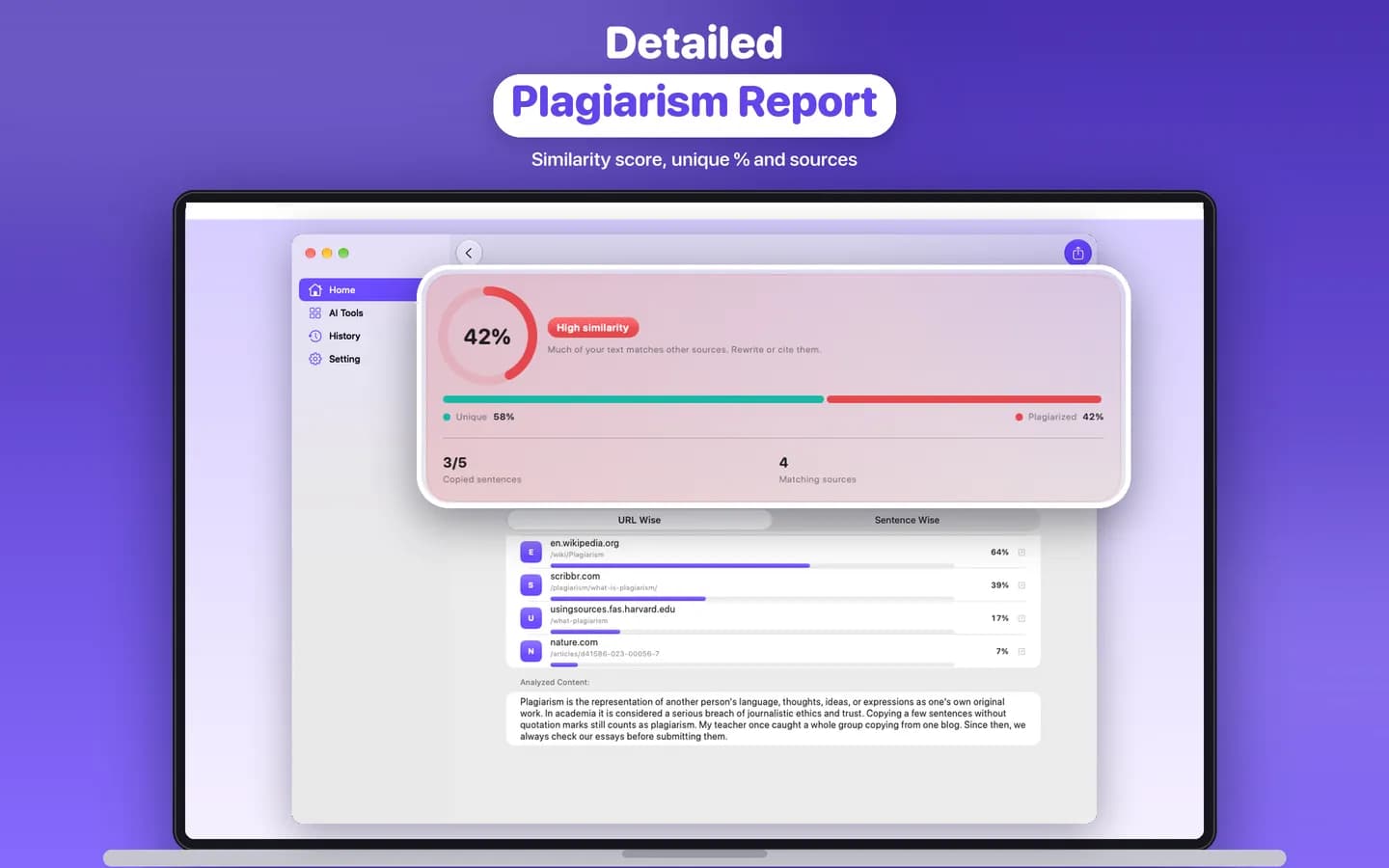
Paste or import your text and the app searches the web for matching content. You get a clear report with your similarity and unique percentages and every matching source.
- Overall similarity % and unique %
- Each matching source URL with its own match %
- Open any source page in one tap
- Pro: sentence-by-sentence matches showing which sentence came from which link
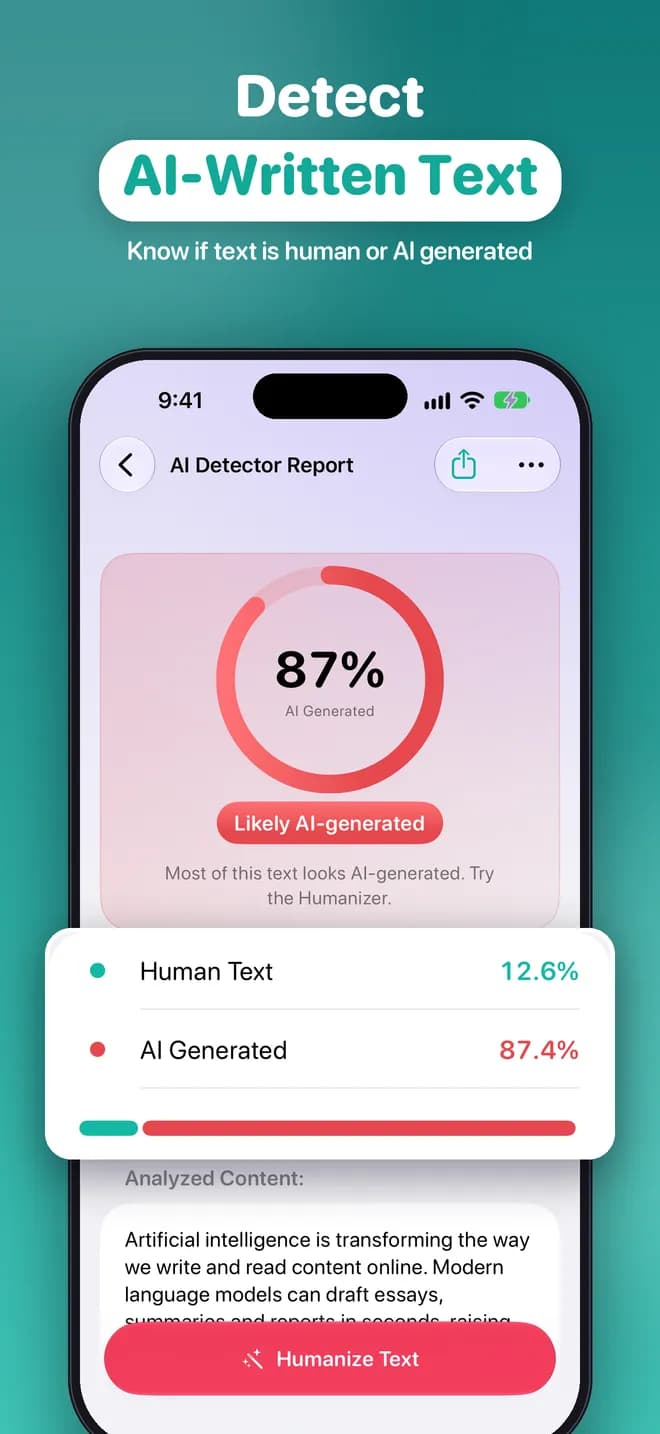
Estimate whether text was written by AI
Check an essay, article or email and get an estimate of how likely it is to be AI-generated versus human-written, with a simple breakdown you can understand at a glance.
- AI-generated vs human-written estimate
- Easy-to-read percentage breakdown
- Jump straight to the Humanizer from the result
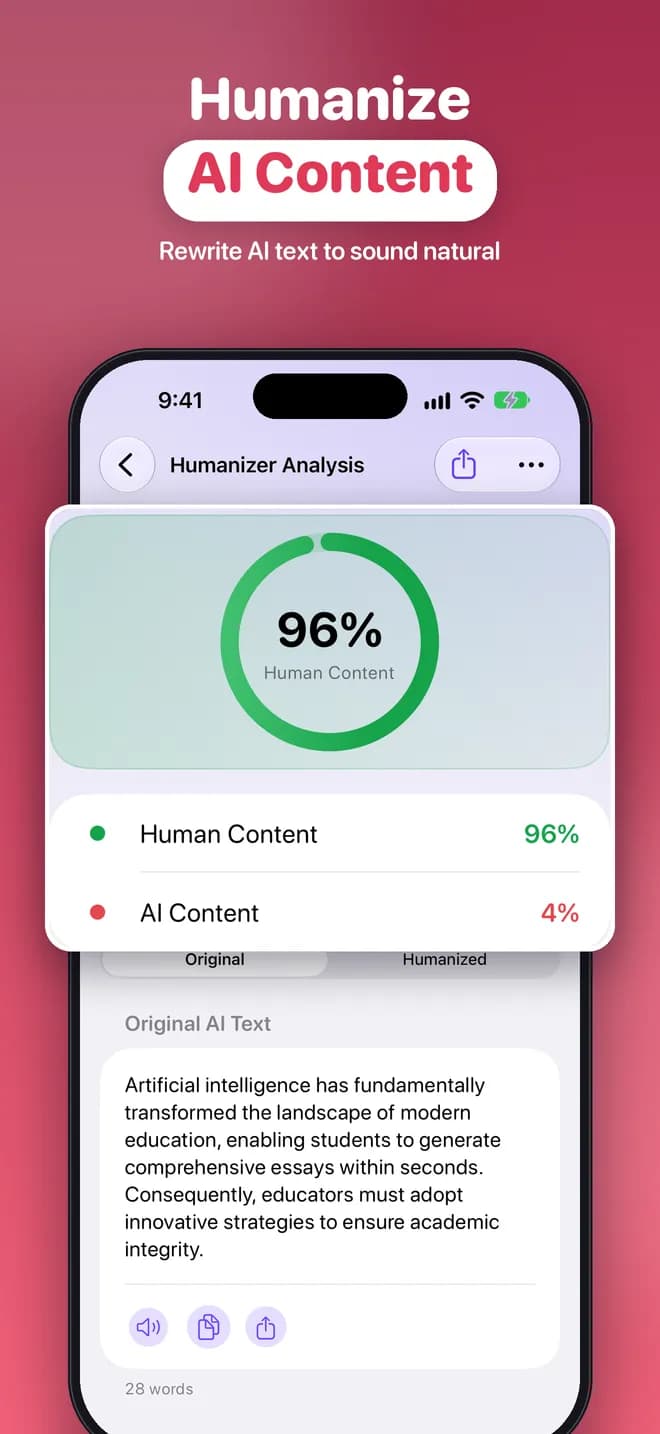
Make AI-sounding text read naturally
The Humanizer rewrites stiff, AI-sounding text so it reads more like a person wrote it. Compare the original and the rewritten version side by side, then copy or share it.
- Rewrites text in a more natural voice
- Original and humanized versions side by side
- Copy, share or keep it in your history
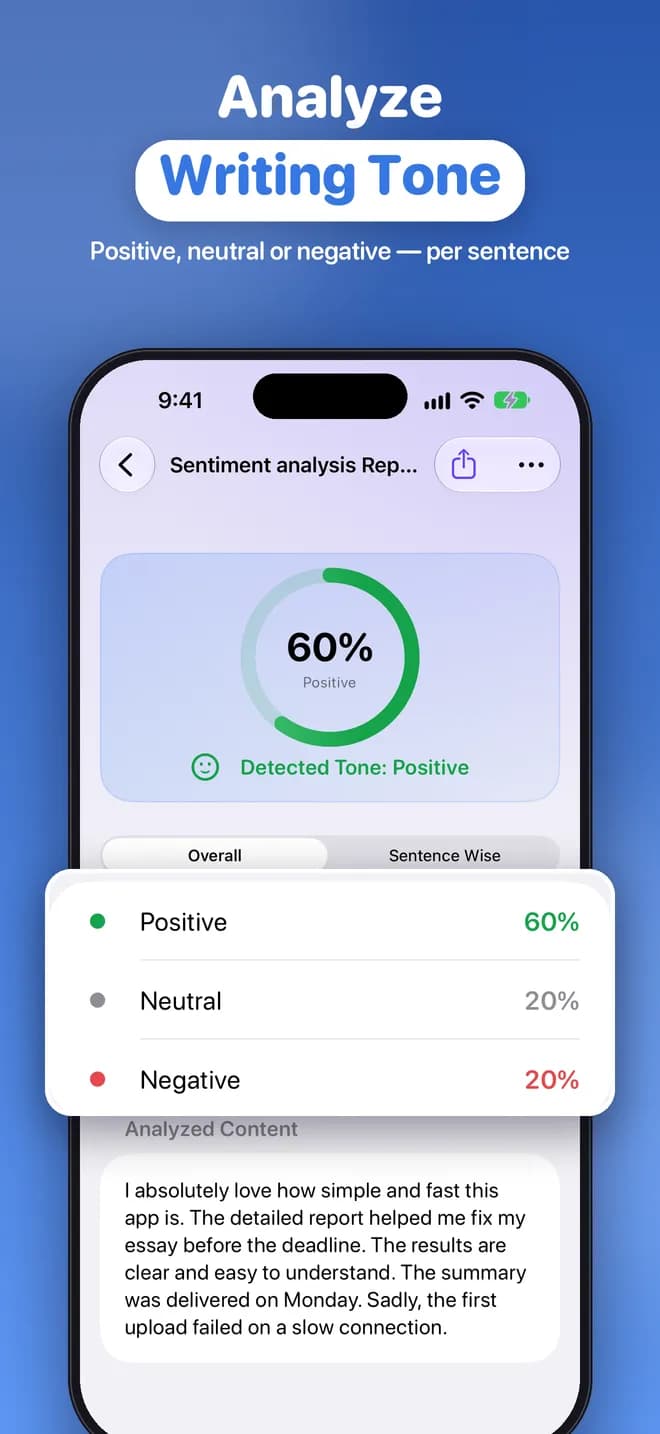
Understand the tone of your writing
Find out whether your text comes across as positive, neutral or negative, overall and sentence by sentence, before you hit send.
- Positive, neutral and negative breakdown
- Overall tone and per-sentence view
- Useful for emails, reviews and messages
Made for real work
Handy extras built in
Get your text in quickly, keep track of your checks and share the results.
Import files
Bring in text from PDF, DOCX or TXT documents.
Paste or type
Paste from anywhere or type directly into the app.
Import from a link
Pull the text from a web page by pasting its URL.
Voice dictation
Dictate your text instead of typing it.
PDF reports & sharing
Export a PDF report or share your results.
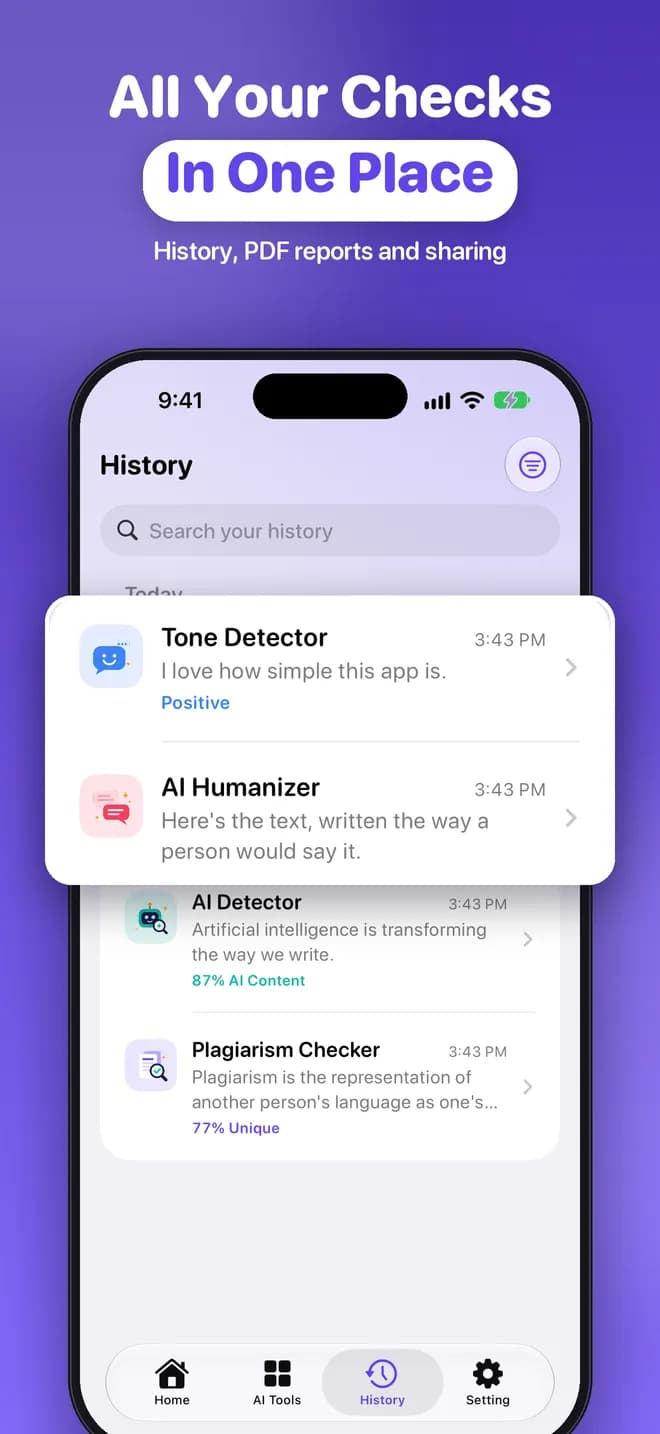
On-device history
Every check is saved on your device, never in the cloud.
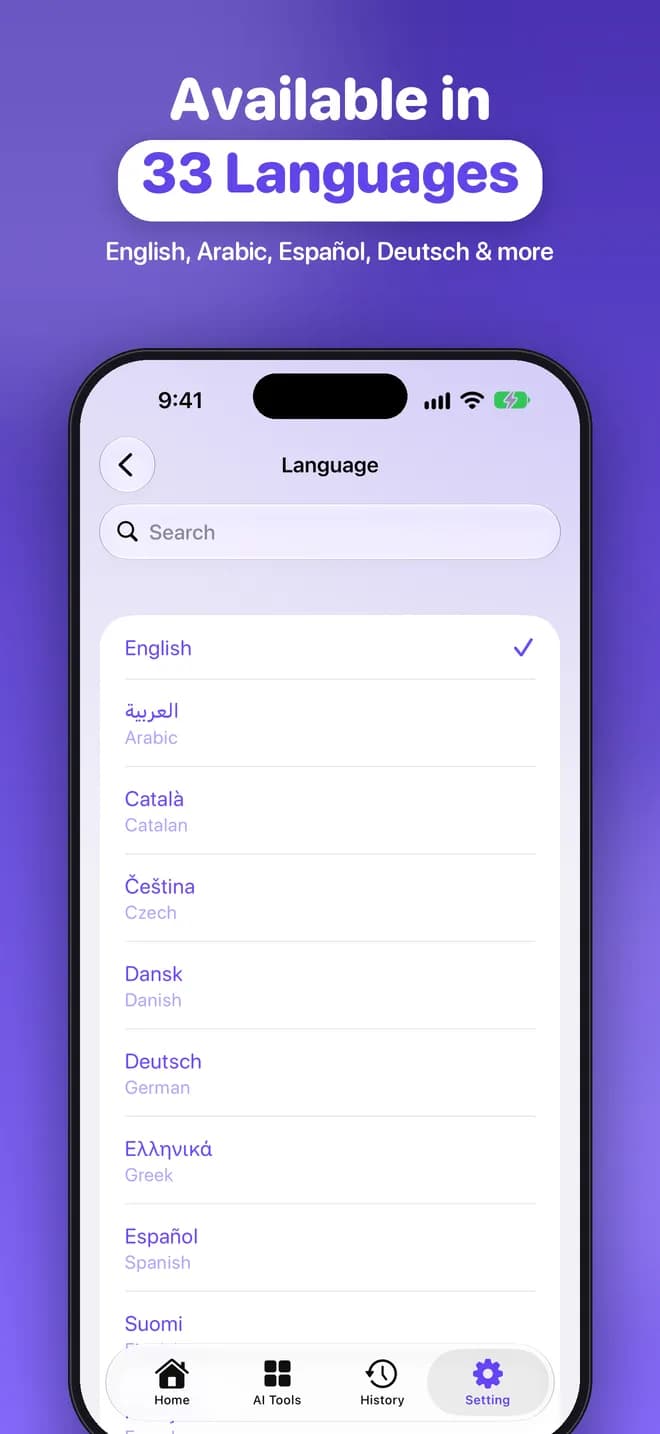
33 languages
Use the app in English, Arabic, Español, Deutsch and more.
iPhone, iPad & Mac
One app that feels at home on every Apple device.
Take a look
Clean, friendly and easy to use
iPhone · iPad · Mac
Works on all your Apple devices
Check a paper on your Mac, review the report on your iPad and polish an email on your iPhone.
How it works
Three simple steps
Step 1: Add your text
Paste it, type it, import a PDF, DOCX or TXT file, grab it from a web link, or dictate it.
Step 2: Pick a tool
Run the Plagiarism Checker, AI Detector, AI Humanizer or Tone Detector with one tap.
Step 3: Review and share
Explore the detailed results, open matching sources, export a PDF report or share it.
Pricing
Start free, upgrade when you need more
Get 2 free checks every day. Go Pro for unlimited checks and sentence-by-sentence matches.
Free
$0
No subscription needed
- 2 free checks per day
- Similarity score and matching sources
- No account, no ads
Pro Weekly
$3.99 / week
Great for a single assignment
- Unlimited checks
- Sentence-by-sentence source matches
- Auto-renews, cancel anytime
Pro Monthly
$12.99 / month
For regular writers and students
- Unlimited checks
- Sentence-by-sentence source matches
- Auto-renews, cancel anytime
- Best value
Pro Yearly
$29.99 / year
Best value for heavy use
- Unlimited checks
- Sentence-by-sentence source matches
- Auto-renews, cancel anytime
Prices shown in US dollars. Prices may vary by country and region; the exact price in your local currency is shown in the App Store before you buy. Pro subscriptions are auto-renewable and are charged to your Apple ID. They renew automatically unless cancelled at least 24 hours before the end of the current period. See our Terms of Use.
Private by design
No account, no ads and no third-party analytics or tracking. Your text is sent securely only to produce your result and is not stored on our server afterwards. Your check history stays on your device and you can delete it at any time.
Read the Privacy Policy →FAQ
Frequently asked questions
Is the app free to use?
Yes. The app is free to download and every user gets 2 free checks per day across all tools. Pro is an optional auto-renewable subscription (weekly, monthly or yearly) that unlocks unlimited checks and sentence-by-sentence plagiarism matches.
Do I need to create an account?
No. There is no sign-up and no login. Just open the app and start checking.
How does the plagiarism checker work?
The app searches the web using short snippets of your text and compares your text with the public pages it finds. You get an overall similarity percentage, a unique percentage, and a list of matching sources, each with its own match percentage and a link you can open. With Pro you can also see which sentence matched which source.
How reliable are the AI detector and tone results?
They are estimates. AI detection is based on statistical signals and can be wrong in both directions, so treat the result as a helpful indicator, not as proof that someone did or did not use AI. The same applies to tone analysis.
Does the humanizer guarantee my text will pass AI detectors?
No. The AI Humanizer rewrites text so it reads more naturally, but no tool can guarantee how another detector will score it. Please use it responsibly and follow the rules of your school, employer or publisher.
What happens to the text I check?
Your text is sent securely over HTTPS to our server only to produce the result, and it is not stored there afterwards. Your check history stays on your device. Read the full Privacy Policy.
Which devices and languages are supported?
The app runs on iPhone, iPad and Mac, and the app is available in 33 languages, including English, Arabic, Spanish, German and more.
How do I cancel my subscription?
Subscriptions are managed by Apple. Open Settings, tap your name, then Subscriptions, and choose Plagiarism Check & AI Humanize. Cancel at least 24 hours before the end of the current period to avoid renewal. See Support for step-by-step instructions, or email dev.nomantariq@gmail.com.
Still have a question? Visit Support
Write with confidence
Download Plagiarism Check & AI Humanize for free on iPhone, iPad and Mac.